


AnyTracker - track anything!
4.164.00 Reviews
App Specs
- Version
- 7.3.4
- Updated On
- License
- Free
- Downloads
- 100,000+
- Developer
- Shervin Koushan
- Categories
- Shopping
- Platform
- Android
Screenshots
 Analysis by AppCompare
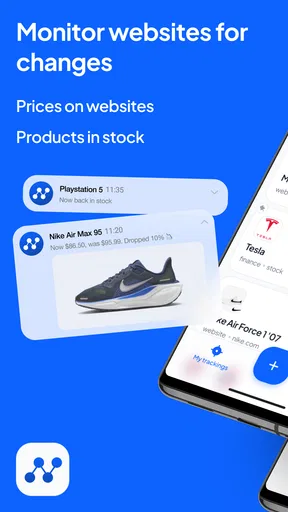
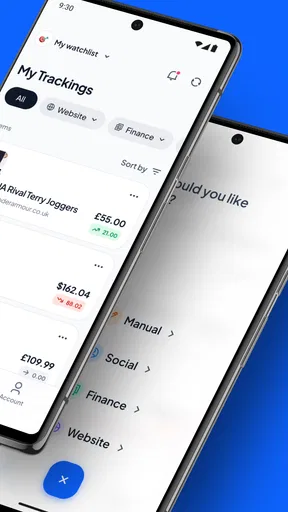
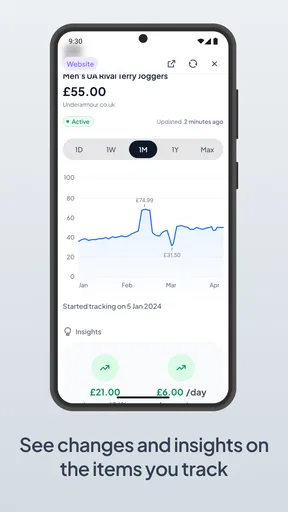
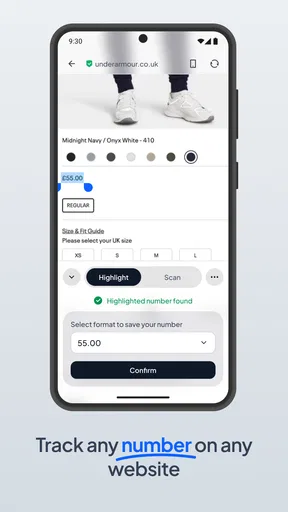
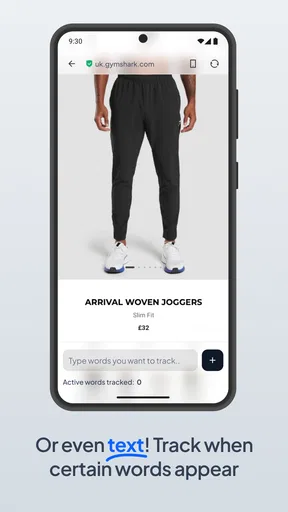
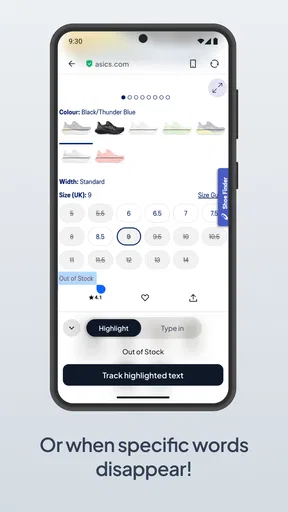
When I shop online, the hardest part is often not finding an item but deciding whether its current price is worth paying. I’ve used AnyTracker to keep an eye on prices instead of revisiting the same product page and trying to remember what it cost last time. Its focus is unusually practical: it can monitor price changes on websites, including Amazon, so I can make a decision based on movement rather than a single glance.
Why tracking a price is more useful than checking it once
A product page tells me what something costs now; it rarely tells me whether that figure is a good moment to buy. That gap matters for items I want but don’t need today: a replacement accessory, a household purchase, or a book I can wait to read. With a tracker, I can follow the item over time and avoid treating an ordinary price as an urgent bargain.
This is the app’s clearest strength, and it also sets expectations. AnyTracker is a shopping tool, not a shop or a general-purpose price-comparison marketplace. I still choose the product and retailer myself. The value is in watching for a change on a page I care about, rather than browsing a catalog and hoping the right deal appears.
How I’d use it for a real purchase
Imagine I need a particular kitchen appliance, but the current price feels high and there’s no deadline. I would save the relevant product page in the app, then let the tracker watch for a change while I carry on with my day. If the price shifts, I can revisit the page and decide whether the new amount suits my budget. That keeps the decision in my hands: a drop is a reason to check, not an instruction to buy.
For a useful comparison, I’d track the exact model rather than a broad search term. Similar products can have different capacities, bundles, or accessories, and a lower figure is not a saving if it refers to a version I wouldn’t choose. I’d also note the conditions that matter to me before setting the tracker—such as the model name or configuration—so I’m less likely to act on a change to the wrong listing.
Where it fits among shopping tools
Compared with repeatedly opening a retailer’s page, price tracking saves the effort of checking manually and relying on memory. Compared with a retailer’s own alert, a tool that can monitor pages across websites may suit someone who shops in more than one place. Still, it doesn’t replace comparing sellers, checking delivery details, or reading the latest product information before paying. I treat the alert as a prompt to investigate, not proof that an offer is the best available.
That distinction is important when listings change. A product page can be revised, temporarily unavailable, or presented with options that affect the displayed price. Before buying, I’d return to the actual page, confirm that it is the same item and check the final checkout total. Price movement is helpful context, but it cannot make that last bit of shopping judgement for me.
Worth Reading Before You Choose

EA SPORTS FC Mobile 26 Is a Bigger Football Game, but It Takes Time

Flipboard Shows What News Apps Must Do Beyond the Feed

Switching to Android Auto Means Rethinking Your Driving Routine

Google Calendar Makes a Crowded Week Easier to Manage

Ludo King Makes the Most of the Minutes Between Plans

Baby Panda World Brings Quick Play to Modern Phones, but Its Game Library Feels Busy
Getting Started with AnyTracker
First things first, downloading AnyTracker was a breeze. Available for both Android and iOS, it took just a couple of taps before I was ready to explore its features. The interface is clean and user-friendly, making it simple to navigate even if you’ve never used a tracking app before. Right off the bat, I was impressed by how intuitive it felt, with everything laid out logically.
Features Galore
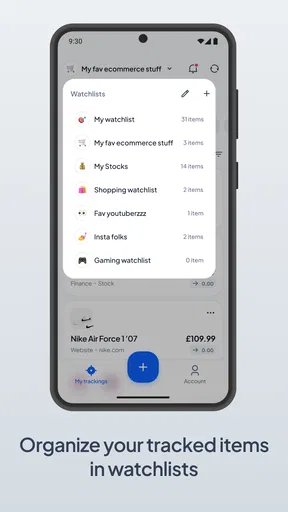
What makes AnyTracker stand out is its versatility. You can track pretty much anything—whether it’s your daily water intake, the books you’ve read, or even the number of times you’ve been to the gym this month. I decided to test it with a few different lists: my grocery shopping, workout routine, and a movie watchlist.
- Customizable Lists: You can create and personalize each list with different icons and colors. It’s a small touch, but it makes navigating through your lists so much more enjoyable.
- Reminders: The app lets you set reminders for each item. I loved how customizable the notifications were; I could decide exactly when I wanted to be nudged.
- Progress Tracking: For someone like me who loves seeing progress, the visual tracking feature was a game changer. Watching the progress bars fill up gave me a little boost of motivation.
User Experience
Using AnyTracker was refreshingly smooth. Switching between lists is seamless, and there’s no lag time, which is crucial for those of us with little patience. The app also syncs across devices, which is a lifesaver when you’re switching from your phone to your tablet.
And let’s talk about its design—slick, modern, and not cluttered with unnecessary features. Every button and option felt thoughtfully placed. It’s clear that the developers wanted to create an app that was both functional and pleasant to use.
What to expect before relying on an alert
Price tracking is most helpful when I can wait. If I need a replacement today, a watchlist won’t solve the immediate problem; I’m better off comparing current offers and buying the suitable option. The same goes for time-sensitive purchases where availability matters more than a possible future reduction. I see AnyTracker as a way to support patient shopping, not a guarantee of a lower price.
It also helps to keep a tracker list selective. Saving every tempting item can create a stream of changes that I stop paying attention to. I’d reserve it for purchases with a clear reason to wait, then remove or ignore items once I’ve bought them or changed my mind. That small habit keeps a useful signal from turning into background noise.
One practical question is whether I need to keep opening the app to make tracking worthwhile. The point of monitoring is to reduce repeated manual checking, but I would still open the retailer’s page when I’m ready to act and verify the details there. Another question is whether it makes sense for a one-off, inexpensive purchase: if I’m unlikely to wait or the potential saving would not change my decision, tracking adds little value. It earns its place when the item is important enough to compare carefully.
Who benefits most—and who may prefer another approach
I’d recommend this kind of tracker to someone who has a short list of non-urgent purchases and shops across different websites. It is especially useful when the item is specific enough to identify confidently and the buyer is comfortable deciding for themselves what counts as a worthwhile price. The app is free to install, is developed by Shervin Koushan, and sits in the shopping category. Its 4.1 average from around 1,400 ratings and more than 100,000 installs suggest that plenty of shoppers have tried it, though I’d still judge it by whether its tracking workflow matches my own habits.
It may be the wrong fit for someone who wants a curated deal feed, automatic recommendations, or a one-stop checkout experience. A retailer’s own app can be more convenient if I already buy exclusively there, while a comparison service may be better when I have no preferred product page and want to discover competing models. AnyTracker makes most sense when I already know what I’m watching and want less manual effort keeping tabs on it.
Small decisions that make tracking more reliable
Before adding a page, I’d ask myself what change would actually make me reconsider buying. If any small fluctuation would trigger a decision, I may spend more time reacting than saving. Setting a personal threshold in my own mind—based on what I can afford and what alternatives cost—makes the tracker more useful without assuming that every downward movement is a good deal.
I’d also avoid comparing prices without checking what is included. A listing can look cheaper because it differs in size, accessories, or condition, and a headline figure may not reflect delivery or other checkout costs. The app can help me notice that a page has changed; my own final comparison still needs to account for the exact item and total amount I would pay.
AnyTracker is free to download, rated for Everyone, and its current version is 7.3.1; in-app purchases range from $0.99 to $100.00 per item. It was released on August 17, 2021, and requires Android 7.0 or later. Those details make it easy to understand the basic commitment, but the more important question is whether I will use price monitoring consistently. If I do, the app can replace a repetitive checking habit with a more deliberate buying routine.
Final Thoughts
After spending some quality time with AnyTracker, I can confidently say it’s a keeper. The app’s ability to track anything and everything is genuinely impressive, and the customization options make it feel personal. Whether you’re a meticulous planner or someone trying to bring a little more organization into your life, AnyTracker is worth checking out.
If you’re ready to simplify your life and keep track of all the little (and big) things, give AnyTracker a go. Who knew organizing could be this much fun?
Pros
- User-friendly interface for easy tracking.
- Customizable categories for diverse needs.
- Real-time syncing across devices.
- Detailed analytics for progress monitoring.
- Supports multiple data entry formats.
Cons
- Limited free version features.
- Occasional sync delays.
- No offline mode available.
- Complex setup for beginners.
- Lacks integration with some apps.
FAQs for AnyTracker - track anything!
What is AnyTracker and how does it work?
AnyTracker is an app designed to help you monitor and manage various aspects of your life by allowing you to track almost anything, from personal habits to professional goals. It works by letting you set up custom trackers, input data, and then analyze the information through visual graphs and statistics to understand trends and patterns.
Is AnyTracker available on both Android and iOS platforms?
Yes, AnyTracker is available for download on both Android and iOS platforms. You can find the app on the Google Play Store for Android devices and the Apple App Store for iOS devices. Ensure your device meets the minimum system requirements for optimal functionality.
What features does AnyTracker offer to enhance tracking efficiency?
AnyTracker offers a variety of features such as customizable tracker options, intuitive data entry, visual progress graphs, reminders, and synchronization across devices. These features are designed to provide a comprehensive and efficient tracking experience, helping users stay organized and informed about their progress.
Are there any costs associated with using AnyTracker?
AnyTracker offers both a free version and a premium subscription. The free version includes basic features necessary for standard tracking activities. However, for advanced features like additional customization options, ad-free experience, and priority support, users may opt for the premium subscription, which requires a monthly or yearly fee.
How secure is the data I input into AnyTracker?
AnyTracker prioritizes user privacy and data security. The app uses encryption to protect your data, ensuring it is safe from unauthorized access. Additionally, users have control over their data, with options to export or delete their information as needed. Always check the app’s privacy policy for detailed information.


